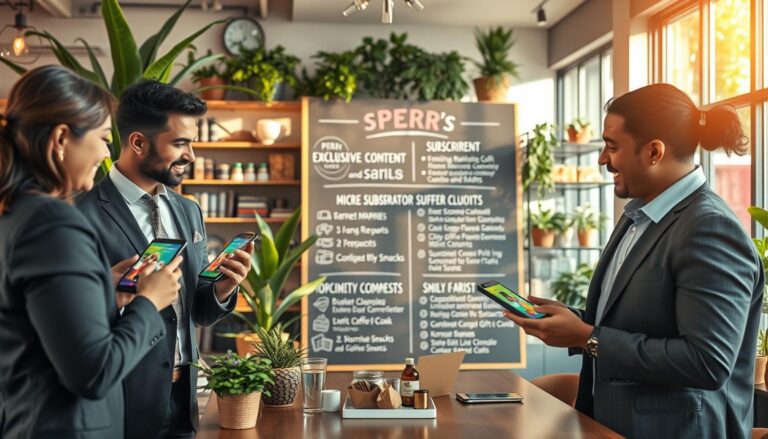

It might surprise you, but U.S. shoppers who use cashback apps can save a lot. They can get back hundreds of dollars a year from everyday things like groceries and gas. Small percentages really add up fast.
Cashback apps pay you back for buying things you were going to buy anyway. This means you get real cash back from normal spending. You can save money on stuff like food, gas, clothes, and electronics.
You’ll learn about popular platforms like Rakuten, Ibotta, Honey, Dosh, Fetch Rewards, and Swagbucks. These apps are great for U.S. shoppers. They offer cashback from 1% to over 20% during special deals.
This guide will explain what cashback apps are and how they can help you save. You’ll learn the benefits, how to pick the best app, and tips to earn more rewards. We’ll also cover common mistakes, how to start, using apps daily, real success stories, and new trends to watch.
What Are Cashback Apps?
Cashback apps give you part of your spending back when you shop. You can use mobile apps, browser extensions, or linked cards to shop. There are rebate apps like Ibotta and Fetch, portal extensions like Rakuten and Honey, and card offers from Dosh or credit cards.
Merchants pay these apps a fee for bringing them sales. The app then shares a bit of this fee with you as cashback. You earn money back without extra cost.
Understanding the Basics of Cashback
To get cashback, first, you have to activate an offer. You might tap an offer, click a link, or enable a browser extension. Once you buy, the app waits for the merchant to confirm the sale. Then, it shows your cashback as pending.
The time to wait can be from seven to ninety days. Stores do this to account for returns. You usually need between $5 and $20 to cash out. Options for payout include PayPal, Venmo, bank transfers, or gift cards.
How They Work in Your Favor
Your usual flow looks like this:
- Open the app or extension.
- Activate an offer or shop via the app’s link.
- Complete the purchase as usual.
- See pending cashback in the app while the retailer verifies the sale.
- Request payout once you hit the minimum threshold.
Cashback works well with sales, coupons, and credit card rewards. Combining cashback with a rewards card can increase your savings. Always read the app’s privacy policy before linking your payment methods.
| Type | Example | How You Earn | Typical Payout Options |
|---|---|---|---|
| Rebate-style | Ibotta, Fetch | Upload receipt or scan product; app verifies purchase and credits cashback rewards | PayPal, Venmo, gift cards |
| Portal/Extension | Rakuten, Honey | Click link in app or extension before purchase; retailer pays commission shared as cashback | PayPal, check, gift cards |
| Card-linked | Dosh, select credit card programs | Link card; cashback posts automatically when participating merchants detect your purchase | Bank transfer, PayPal, statement credit |
Linking cards or sharing purchase data requires trust. Choose apps with solid privacy policies. This way, you can earn cashback safely.
Benefits of Using Cashback Apps
Cashback apps make spending more rewarding. You get money back on things like groceries and gas. It’s a simple way to save without changing what you do.
Instant savings on everyday purchases
For example, Ibotta gives you money back on groceries. GasBuddy offers savings on fuel. Rakuten gives cashback at places like Walmart and Macy’s. These apps give you discounts right away.
Browser tools like Honey and Capital One Shopping find discounts for you. They make getting cashback easier by doing the work for you.
Stacking and extra layers of savings
You can combine cashback with other savings. Use store points, coupons, and credit card rewards all together. This way, you get even more back when you buy something.
Encouragement to shop smart
Getting cashback makes you think more about what you’re buying. You look for the best deals and plan your shopping. This helps you save money and buy less on impulse.
Exclusive promotions and financial benefits
Some apps have special deals you can’t get elsewhere. The extra money you save can go towards your savings. Or it can help with debts, or even a little treat for yourself.
Which apps to explore
- Ibotta — strong for groceries and in-store receipts.
- Rakuten — wide retailer coverage for online shopping.
- GasBuddy — targeted cashback for fuel purchases.
- Honey and Capital One Shopping — browser tools that find coupons and cashback deals.
Using these apps can turn your normal shopping into extra cash. Over time, this adds up. It’s a great way to make your money work harder for you.
Choosing the Right Cashback App for You
Choosing the right app can make a big difference in your savings. Think about how you shop, what kind of payouts you like, and which stores you go to often. This will help you pick the best cashback program.
Features to consider
Make sure to compare cashback rates across different apps to get the best deals. Consider payout options like PayPal, Venmo, direct deposit, or gift cards. Also, check the minimum amount needed to cash out.
See which shops and brands you can earn cashback from. Check if the app is better on your phone or as a browser extension.
Look into how safe it is to link your card. Make sure the app has security like two-factor authentication. Check for special deals and bonuses to make the most of your shopping.
Popular cashback apps in the U.S.
Rakuten is known for its wide range of stores and a browser extension that pays out quarterly. Ibotta is great for saving on groceries, letting you scan receipts for quick cashback at places like Kroger and Walmart.
Honey finds coupons for you and offers some rewards in Honey Gold. Dosh gives you cash back automatically when you shop at partner stores.
Fetch Rewards lets you scan receipts to earn points for gift cards. Swagbucks gives you ways to earn through shopping, surveys, and browsing, with options for cashing out via PayPal or gift cards.
User experience and customer support
Before downloading an app, check its ratings on the App Store and Google Play. Read reviews on Trustpilot and BBB to understand how well they handle customer issues.
Effective customer support matters. Look for apps with easy-to-use help centers and clear cashback claim processes. Choose apps from well-known companies that offer strong privacy protections and regular security checks.
| App | Strength | Payout Methods | Notable Feature |
|---|---|---|---|
| Rakuten | Wide retailer network | PayPal, check | Browser extension with seasonal bonus rates |
| Ibotta | Grocery rebates | PayPal, gift cards | Receipt scanning and store-specific offers |
| Honey | Automatic coupon-finding | Honey Gold (redeemable) | Droplist price tracking |
| Dosh | Hands-free cashback | Direct deposit, PayPal | Card-linked offers that auto-credit |
| Fetch Rewards | Brand-based points | Gift cards | Receipt scanning for many retailers |
| Swagbucks | Multiple earning channels | PayPal, gift cards | Surveys, search, and shopping combined |
How to Maximize Your Cashback Rewards
Smart timing and stacking can turn everyday shopping into big savings. Try simple strategies that suit your daily life. Align offers from different platforms like cards and apps with your purchases. These small steps can lead to big rewards over time.
Timing Your Purchases
Look for special shopping periods. These include holiday sales and double-cashback weekends. Use tools like Honey Droplist or CamelCamelCamel to track price drops, especially on big items.
Pay attention to grocery promotions and coupons during certain times. Combining these with apps like Ibotta or Fetch can maximize your savings. Look for these opportunities around back-to-school or Black Friday events.
Combining Offers and Promotions
Stacking offers is a key to earning more cashback. First, use a credit card that offers rewards at certain stores. Then, use a cashback app or extension to get even more back from your purchase.
After shopping, scan your receipts with apps after using discounts and coupons. This way, you get immediate savings and increase your cashback. It’s a win-win.
Before buying, compare cashback amounts on various apps. Keeping track of your cashback can help you see what’s working. Also, use referral and signup bonuses smartly. Just make sure you’re not buying things you don’t need, just to get a bonus.
| Strategy | Tools or Examples | Expected Benefit |
|---|---|---|
| Wait for bonus periods | Holiday sales, app promo weeks, double-cashback events | Higher percentage cashback rewards on big purchases |
| Price tracking | Honey Droplist, CamelCamelCamel | Combine price drops with cashback deals for lower net cost |
| Stack loyalty and coupons | Store loyalty cards, manufacturer coupons, receipt apps | Layered discounts plus cashback savings |
| Use best card plus app | Cashback credit card matched to merchant category | Earn card rewards and app rebates simultaneously |
| Compare multiple apps | Ibotta, Rakuten, Fetch and other U.S. apps | Choose highest combined benefit and avoid missing offers |
Common Misconceptions About Cashback Apps
Many folks doubt cashback offers at first glance. You may question whether the deals are genuine, worry about hidden catches, or fear not receiving your rewards. This guide aims to clarify these concerns, encouraging confident use of cashback apps.
Are They Too Good to Be True?
Cashback usually is legit because retailers have specific budgets for marketing. These apps make a commission from stores like Walmart and Amazon and share a part with you.
Not all purchases yield big returns. The return percentage varies across stores and seasons. Top cashback apps offer better rates with some stores but moderate returns with others.
Hidden Fees and Fine Print
Be mindful of minimum payout amounts and payout waiting periods. Some apps might require earning $20 before you can withdraw. They may also wait to ensure items aren’t returned.
Long periods of account inactivity could reduce your earnings. Each cashback service has unique rules for redeeming earnings, be it through PayPal or gift cards. Always check these terms first.
If you return a purchase, the initial commission may be revoked, affecting your balance. Pay attention to return policies and how the app deals with adjustments.
Regarding taxes, cashback is typically seen as a discount and isn’t taxable. However, large referral bonuses could count as taxable income. Consult a tax expert if you receive significant amounts.
How to Avoid Scams and Bad Actors
Watch out for apps with too-good-to-be-true rates or those asking for unnecessary personal info. Verify their legitimacy by checking reviews and their parent company, like PayPal or Capital One. Always read their privacy policies thoroughly.
Choosing reputable apps, comparing their offers, and using secure payments will safeguard your information and money. This ensures you benefit from actual savings worry-free.
How to Get Started with Cashback Apps
You just need to set up an account, choose your cashback options, and start saving on things you buy every day.
First, download the app from either the Apple App Store or Google Play. Or you can add a browser extension from the developer’s website. Sign up using your email or by connecting Apple or Google. Don’t forget to verify your account when asked.
Next, fill out your profile with your favorite stores and shopping categories. This will help you get cashback offers that match your interests. Decide on your notification preferences to keep up with the best deals without feeling overwhelmed.
Linking your payment methods
Many cashback apps allow you to link your debit or credit card. This way, the app can easily track your qualifying purchases and give you cashback automatically. For your safety, these apps protect your card details with encryption and tokenization.
If you’re not keen on linking a card, you have other choices. You can scan receipts with apps like Ibotta or Fetch. Or, you can shop via in-app links with Rakuten. Each option will still earn you cashback if done correctly.
Payout setup and timing
To get your money, add a payment method like PayPal, Venmo, or your bank account. Some apps also offer gift cards as a payment option. Make sure you check how much you need to earn before you can get paid. This will help you know when to expect your money.
Best practices for smooth use
- Use a separate email for deal apps to stay organized.
- Turn on push notifications for instant cashback offers. You can mute them if they become too frequent.
- Always read the app’s terms and privacy policy so you know how your data is used. You can opt out if you want.
| Step | What to Do | Tip |
|---|---|---|
| 1. Download | Install the app or browser extension from official stores. | Verify developer name to avoid fake apps. |
| 2. Account Setup | Create an account and set preferences for stores and categories. | Choose a strong password and enable two-factor authentication. |
| 3. Link Payment | Connect a card or use receipt scanning / in-app shopping links. | Prefer tokenized services and review permissions. |
| 4. Choose Payout | Add PayPal, Venmo, bank details, or select gift cards. | Note minimums and processing times for payouts. |
| 5. Monitor Offers | Track cashback offers and activate them before purchases. | Combine store sales with app promotions for higher rewards. |
| 6. Maintain Privacy | Review terms and adjust notification settings. | Use a separate email to keep promotional mail manageable. |
Integrating Cashback Apps into Your Lifestyle
Adding cashback apps into everyday habits can turn minor buys into regular savings. Always check your favorite cashback tools before shopping. This practice allows you to find cashback opportunities and plan your spends more carefully.
Using them while grocery shopping
Before hitting the grocery store, use Ibotta and Fetch Rewards to pick out offers for groceries. Choose rebates on items like fruits, dairy, and items you need at home. Then, scan your receipts or link your store card to get rebates easily.
Mix in manufacturer coupons and store discounts to save more. Plan your meals around products on rebate to dodge unnecessary buys. Make a shopping list and prioritize offers to align your buying with both your meal plans and cashback objectives.
Travel savings with cashback
Book trips using Rakuten and Swagbucks for hotels, flights, or cars. Compare cashback from sites like Expedia and Booking.com against direct bookings. This helps find the top deals. Cashback often increases during promo periods for travel.
For eating out, use apps like Dosh that give cashback automatically at certain spots. Keep track of rewards from dining and travel separately. This way, you know which purchases will bring you cashback and which are still processing.
Everyday integration tips
- Make checking your favorite apps part of your pre-shopping routine to capture timely cashback deals.
- Set alerts for bonus categories like groceries and travel to catch seasonal promotions early.
- Keep a small buffer for pending cashback so you do not rely on it for immediate expenses.
| Activity | Recommended Apps | Best Practice | Typical Rewards |
|---|---|---|---|
| Grocery shopping | Ibotta, Fetch Rewards | Add offers, scan receipts, use store loyalty | Rebates on produce, dairy, household goods |
| Travel bookings | Rakuten, Swagbucks | Compare portals vs direct; time purchases during promos | Elevated cashback on hotels, flights, rentals |
| Dining and local spend | Dosh, card-linked programs | Link cards for automatic credits at partners | Instant cashback at restaurants and bars |
| Everyday online shopping | Top cashback apps and browser extensions | Check apps before checkout and stack coupons | Site-specific cashback deals and bonus categories |
Success Stories of Cashback Users
Many people save money by using cashback apps smartly. They buy groceries, travel, and sign up for subscriptions and get real money back. These stories are from regular folks who made it work for them.

Real family savings: A family saved a lot at Kroger and Safeway. They scanned their receipts and took advantage of deals. By using apps and coupons together, they saved hundreds in a year.
Frequent traveler wins: A person who travels for work saved money on hotels. They used Rakuten and kept their hotel points. Booking smart helped them get cashback and keep travel costs low.
Student funding small costs: A college student managed to pay for books and subscriptions. They used Swagbucks and Rakuten to get gift cards and PayPal cash. This helped them save a bit over time.
Learning from others’ experiences helps too. Results from studies and stories show how much you can save. People often get money back every month or every few months.
Actionable takeaways:
- Pick apps that fit your shopping. Apps for groceries are great for families. Shoppers online should look into portal apps.
- Being regular with app checks and receipt scans helps save more.
- Think of cashback as a small extra. Don’t buy more just to get more cashback.
Avoid common mistakes to keep winning. Don’t jump on every offer without understanding it. Mixing up deals without keeping track can make you miss out. A simple way to keep records helps avoid confusion.
| Typical User | Primary Apps | Monthly Routine | Reported Annual Savings |
|---|---|---|---|
| Family grocery shopper | Ibotta, store loyalty apps | Scan receipts, clip offers weekly | $200–$600 |
| Frequent online shopper | Rakuten, Honey | Shop via portals, stack coupons | $150–$400 |
| Traveler | Rakuten, airline/hotel apps | Book through portals, redeem points | $250–$700 |
| Student and budget buyer | Swagbucks, Rakuten | Complete surveys, redeem bonuses | $100–$300 |
By forming solid habits and making wise decisions, saving money can become easy. Choosing the right apps for your needs helps a lot. Cashback shopping is a smart way to get more for your money over time.
Future Trends in Cashback Apps
Cashback tools are getting better, offering quick, smart ways to get rewards. They’ll know your shopping patterns and give you deals you’ll like. With fast payouts and safer logins, these apps will seem more like helpers for your money than just places to get rewards.
Evolving Technology and Features
Soon, your mobile wallets and banks will work better together. This includes savings at the register thanks to partnerships with companies like Visa and Mastercard. You’ll easily earn cashback whether you’re buying online or in stores at places like Target and Walmart. Budgeting apps will also show you cashback deals, making saving money easier.
Potential Partnerships and Innovations
New partnerships will bring special deals and accept more merchants. Expect to see subscription options that offer better cashback or quicker payments. Better privacy and honest disclosures will also make these apps more trustworthy for your daily spending.
By paying attention to new features and choosing secure apps, you’ll save money effortlessly. Try out a few top apps to make your regular purchases more rewarding.