
Over 40% of U.S. homes now have at least one smart device. This shows how quickly home automation is becoming a part of our lives.
Home automation links your lights, thermostat, locks, cameras, and appliances into one system. This means tasks like setting lights, adjusting the thermostat, checking cameras, or making coffee are automated.
The benefits of home automation are clear. It reduces daily hassles, saves time, enhances security, and can cut energy costs. It works for any living situation, fitting all needs and budgets.
This article explains what home automation is and how to start. It covers which systems and devices to look at, and the choice between DIY or professional installation. You’ll also discover how to set routines, fix common problems, and see how voice control is shaping our future.
What is Home Automation?
Home automation lets you control your home with smart devices and software. You can run things like lights, heating, and security from anywhere. It’s easy to manage everything using schedules or manual controls.
You can control these systems using apps on your phone, speaking to voice assistants, or touching wall panels. You can control things at home or away through the cloud. Local control is faster and safer, but cloud services are more flexible.
Choosing the right smart devices is crucial. You should consider their privacy, speed, and compatibility with your home’s Wi-Fi.
Definition and Overview
Home automation connects sensors, devices, and apps in a smart way. Sensors detect changes, like motion or temperature. Then devices respond to these changes, like locking doors or adjusting heat. This reduces the need for doing things manually.
This technology uses gadgets and rules to make your home smarter. A single app can control your heat, show you camera views, and set scenes for sleep. It’s easy to add more devices from trusted brands as you go.
Key Components of Home Automation
Devices like Amazon Echo and Apple HomePod act as controllers for your smart home. They connect everything from lights to thermostats into one system.
Different devices need different types of connections, like Wi-Fi or Bluetooth. You need to pick the right kind for your devices to work well together.
Smart gadgets vary from lights to locks to sensors. Using apps and cloud services, you can bring them all together. This lets you create custom automation setups.
Sensors detect things like movement, and actuators respond, like turning on lights or locking doors. Rules can run locally for quick responses or in the cloud for more complex setups.
Your home’s Wi-Fi strength and network setup are important. For non-stop operation, consider having a backup power source for key components.
| Component | Role | Example Brands |
|---|---|---|
| Hub / Controller | Coordinates devices, runs routines, bridges protocols | Amazon Echo, Google Nest Hub, Apple HomePod |
| Communication Protocols | Defines connectivity, range, and power use | Wi‑Fi, Zigbee, Z-Wave, Thread, Bluetooth, Matter |
| Smart Devices | Perform actions and provide monitoring | Nest, Ecobee, Ring, Arlo, August, Schlage |
| Sensors & Actuators | Detect conditions and effect physical change | Motion sensors, contact sensors, motorized blinds, smart locks |
| Software & Services | Mobile apps, cloud services, automation engines | Alexa app, Google Home, Apple Home, IFTTT |
| Network & Power | Ensures reliability and security | Mesh Wi‑Fi, VLANs, UPS for routers and hubs |
Benefits of Home Automation
Smart home technology simplifies daily life. It lets you create routines, get alerts, and track energy easily. These features are why many pick home automation for more comfort and control.
Convenience and Time-Saving
Lights can turn on by themselves at sunset. Your coffee can start brewing before you even wake up. Smart devices enable scheduling and automatic actions through voice or location. This saves precious time every day.
You can manage multiple tasks with just one command. Say “goodnight” to switch off lights, lock doors, and set the thermostat. This makes daily chores easier to handle.
Enhanced Security Features
Security tools now include video doorbells and smart cameras. They offer remote watching and instant alerts for any strange movements or sounds. You’re always in the know, no matter where you are.
Extra safety comes with two-way audio and cloud storage. Keep your devices safe with updates, strong passwords, and two-factor authentication. This helps protect your home better.
Energy Efficiency
Smart thermostats learn your routine to cut energy costs. Reports show big savings on bills with these gadgets. This is why they’re a smart choice for saving energy.
Turning off unused appliances saves even more power. Energy monitors help identify where you’re using the most electricity. Following these tips can lead to savings and rebates over time.
How to Get Started with Home Automation
Starting with home automation is easy if you break it down into steps. First, look at your daily routines and what’s most important. Think about what you want to achieve, like better security, saving energy, making life easier, improving access, or having fun.
Assessing Your Needs
Look around each room to figure out where smart devices could be useful. You might want smart locks or a video doorbell at the entrance. In the kitchen, smart outlets and lights could be handy. Thermostats and automatic blinds can make bedrooms better.
Make a list of features you really need and separate them from the nice extras. See if you already own devices that work with a smart home. Think about where you live, like an apartment or a house, because it can affect setup.
Check your Wi‑Fi signal everywhere and see if there are any restrictions. You might need to budget for additional hubs or Wi‑Fi boosters if the signal is weak. Doing these checks helps avoid problems during installation.
Choosing the Right Devices
Choose a main system to keep things simple and compatible. Options like Amazon Alexa, Google Home, and Apple HomeKit have their own advantages. Sticking to one can make your smart home work better and be more reliable.
Look for devices that use standards like Matter, and protocols like Zigbee or Z-Wave. This helps your system stay flexible for future changes and additions.
Decide if you want to do the installation yourself or hire pros. DIY is good for smaller projects or things like Philips Hue smart lights. For a full home system, complex wiring, or advanced security, professional help is best.
When buying, go for well-known brands like Lutron, Nest, Ecobee, Ring, and Arlo. It’s wise to read reviews, look into updates, and check the warranty and support. Remember to consider if there are extra costs, like for cloud storage or monitoring.
Make a quick buying list: hub or bridge, key devices, maybe professional help, and any service fees. This planning helps set up a smooth smart home system without surprises.
Popular Home Automation Systems
Choosing a home automation system is like picking a new digital family member. Each one has its strengths in device support, voice control, and integration. Here’s a quick rundown of three top choices to help you find the best fit for your home.
Amazon Alexa
Amazon Alexa runs Echo speakers and connects with lots of smart devices. You can use voice commands or the Alexa app to handle lights, locks, and more.
Alexa is great for working with many different devices and making your home listen to you. It works well with products like Philips Hue lights and Ecobee thermostats. Echo units with Zigbee let you connect even more devices directly.
Google Assistant
Google Assistant is in Nest gadgets and helps manage devices easily. Its skill to understand how we talk makes commands simpler.
It connects well with Google’s services for smart help at home. Media control is easy with Chromecast too. Also, its support for Matter and Thread means better connections with many devices.
Apple HomeKit
Apple’s HomeKit is big on privacy and secure connections. It works smoothly if you have an iPhone, iPad, or Apple TV.
HomeKit is known for good security, simple scene setting, and using Siri. Lutron and Ecobee are some brands that make HomeKit-friendly products. While its device range is smaller, adding Matter support is improving its compatibility.
Smart Lighting Solutions
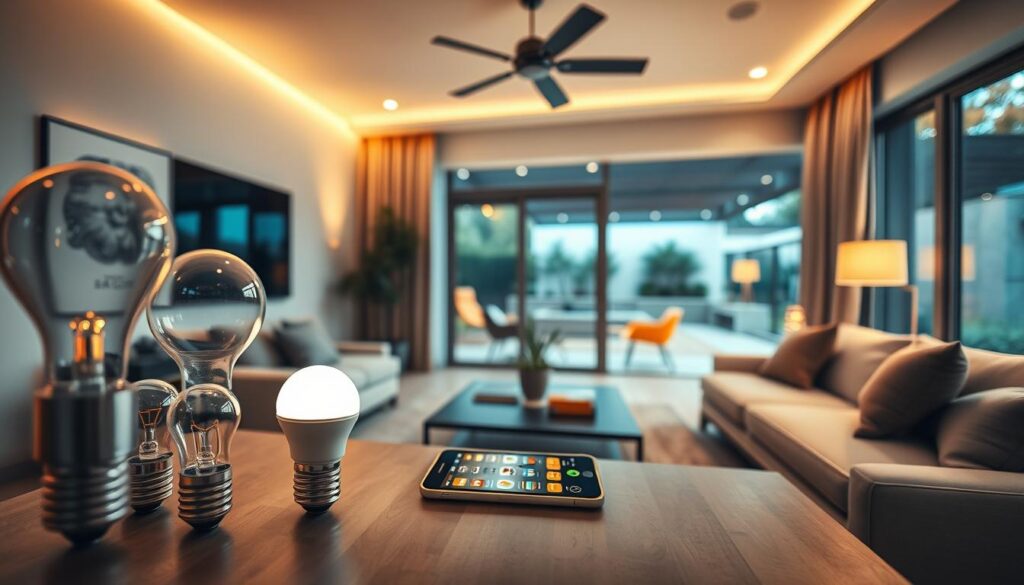
Smart lighting makes your home cozy and easy to control. You can create scenes, dim lights, and change colors to match your activity. This helps save energy and makes every room comfortable. Smart devices work together, making your routines run smoothly.
Benefits of Smart Bulbs
Smart bulbs let you adjust colors and dimness without rewiring. They shift from bright daylight to warm tones easily. This creates the perfect atmosphere for any activity, like eating or watching movies.
LED smart bulbs are energy-efficient and last much longer than traditional bulbs. They save money and energy. Some even turn off automatically when rooms are empty, which is convenient and reduces waste.
People often pick brands like Philips Hue, LIFX, and Sengled for their good reputation. Philips Hue may need a bridge, but LIFX connects over Wi-Fi. Sengled is more affordable and works with many systems. Choose the one that fits your smart home best.
Controlling Lights Remotely
You can control your lights through apps, voice commands, or schedules. Lights can even turn on as you arrive home or off when you leave. This is possible with geo-fencing and presence controls.
A reliable network ensures your lights respond promptly. Use strong Wi‑Fi or a Zigbee mesh network. It’s smart to have backup controls for when the internet is down. This way, lights work even without cloud services.
Choosing between smart switches and bulbs depends on your needs. Switches are great for the whole home, keeping manual control. Bulbs are best for updating a single lamp or fixture. Use both for a perfect mix of convenience and cost.
Home Security Automation
Think about how home automation protects your place while fitting into your life. You can make devices work together in layers. For example, if cameras spot movement, they can turn lights on and lock doors. This visible, automatic action keeps intruders away and keeps you updated.
Smart Cameras and Doorbells
Smart cameras offer cool features like motion spotting, recognizing people, talking two ways, HDR, and seeing in the dark. You can choose to save videos in the cloud or on a local device, like a microSD or NAS. You also get alerts right away. Pick from affordable Wyze, middle-price Arlo, or high-end Google Nest to suit your budget and subscription needs.
Doorbell cameras make your entrances safer. Ring Video Doorbell and Google Nest Doorbell are top choices with smart motion detection and package alerts. Look at how wide they can see, video clarity, and storage options. Also, check how they handle your data to keep your privacy safe.
When building a home security plan, making everything work together is key. Have your smart cameras and doorbell cameras turn on at night, light up smart bulbs if they spot movement, or send clips of visitors to your phone. These connections make your system work smarter with less need to check things yourself.
Automated Locks and Alarms
Automated locks let you lock doors from anywhere, make codes for visitors, and check who comes and goes. August, Schlage Encode, and Yale Assure are brands that offer different ways to connect like Wi‑Fi, Bluetooth, or Z-Wave. Choose the best one for your smart home setup and voice helpers.
Alarm systems are smarter with automation too. A do-it-yourself package like Ring Alarm can arm itself when you’re away or follow your daily routine. If you like, get a system that someone else watches over 24/7. You can set times to arm the system, use location-based rules, and connect alarms to cameras and lights for quick action.
To keep every device safe, follow security best practices. Use a secure Wi‑Fi, update software regularly, pick strong passwords, and turn on extra security like two-step verification for your accounts. Always check privacy settings and how long data is kept to control access to your recordings and logs.
- Tip: Use motion alerts with temporary codes for deliveries to avoid changing locks unnecessarily.
- Tip: Choose local storage for more control or a trusted cloud service for easy access and safe backups.
Smart Thermostats and Energy Management
Smart thermostats make your home cozy and reduce waste. They connect to HVAC systems, learn your routine, and offer smart energy management tools. Learn about different models below and see how they lower your utility bills.
How They Work
Learning thermostats, like Google Nest, get to know your habits. They track temperature changes and adjust settings automatically. Sensor systems, such as Ecobee, use remote sensors to even out temperatures in different rooms. Schedule-based ones allow you to program HVAC activities based on time or whether someone’s home.
Most models work with your current heating or cooling system. But check if yours is compatible first, especially for the need of a C-wire for power. They offer remote control, learning capabilities, and geofencing to detect your presence.
Many smart thermostats provide energy usage data and connect to home energy monitors or smart meters. This lets you see detailed reports and track how well you’re saving energy. Linking them with smart vents and sensors improves room-by-room control.
Cost Savings on Utility Bills
Studies show that smart thermostats save about 10–15% on heating and cooling. Savings depend on your home’s insulation, local weather, system efficiency, and how you use it. How you behave greatly affects your savings.
Enhance savings with demand-response programs and rebates from utilities. Seasonal planning and regular maintenance of your HVAC help too. Using a smart thermostat with high-efficiency filters and smart vents means even temperatures and more savings.
To get the most value, make sure everything’s compatible, sign up for rebates, and use the thermostat’s reports to adjust settings. These tools offer both savings and comfort.
Voice Control: The Future of Home Automation
Voice control is changing how we use smart home devices. Now, just by speaking, you can control lights, temperature, and more. It makes using devices across different brands easier.
Integrating Voice Assistants
Amazon Alexa, Google Assistant, and Siri make controlling your home through conversation possible. You just link your accounts and set up voice commands. These commands can do multiple things at once.
You can adjust privacy settings and control if your voice data is saved. Thanks to the Matter standard, devices from different brands work together better.
Hands-Free Convenience
Hands-free control brings many benefits. It lets you do things like turn on lights or lock doors without using your hands. You can even find your keys with a voice command if you have a tracker.
It also makes life easier for seniors and people with disabilities. They can control their home environment just by speaking. This adds to their ability to live independently.
There are security features like the ability to mute microphones and set who can access your devices. These features help keep your home safe and your data private.
Customizing Your Home Automation Experience
Personalizing your smart home makes it feel more like yours. It allows control over day-to-day life and safety. Here, we will explore how to set up and adjust your system for every household member.
Begin with simple automations. Use rules based on time or who is home to avoid errors. Test and adjust your setups to ensure they work as expected.
Creating routines and scenes
Combine devices into single actions with routines and scenes. Imagine a “Good Morning” routine that warms up your home, turns on lights, and brews your coffee. An “Away” scene could enhance security, adjust the temperature, and turn off all lights. These can be voice-activated through Amazon Alexa, Google Assistant, or Apple HomeKit.
Make your setup smarter with layered automations. These could depend on specific conditions, like motion detection or time constraints. Using apps like Alexa, Google Home, or Apple Home, you can craft detailed behaviors that match your life.
Go through each setup step by step. First, try it manually, then let it run on its own. This careful approach helps avoid mistakes and conserves energy.
Personalization options for your home
Adjust settings for individuals, rooms, or tasks. Create schedules for family members, allow guests limited access, and ensure those with special needs can use controls easily. Clear voice commands help everyone.
Smart sensors adjust lighting and temperature based on room use. Scenes can include entertainment options for special occasions, syncing lights, music, and more for a perfect atmosphere.
Consider how your smart home looks and is controlled. Smart switches and tablets can keep your home stylish and functional. They make controlling your smart home easy while maintaining its design.
Start small with personalization and see how it goes. Then, slowly add more features. Carefully choosing your smart home features makes life easier and more enjoyable without complications.
Troubleshooting Common Home Automation Issues
Home automation issues often have simple solutions. Start with easy checks. This method saves time and reduces frustration.
Connectivity Problems
Connectivity issues usually come from weak Wi-Fi, interference, or crowded routers. Unlike routers, Zigbee and Z-Wave devices have range limits. Firstly, try rebooting your router, smart hub, and any devices that aren’t working right.
To see if distance is a problem, bring devices closer to your hub. If Wi-Fi coverage is patchy, using mesh Wi-Fi extenders helps. For hubs and central controllers, a wired Ethernet connection is more reliable.
Setting static IP addresses for important devices helps avoid IP conflicts. Turn on Quality of Service (QoS) on your router to make sure smart home traffic gets priority. Always keep your routers and hubs updated with the latest firmware.
Smart locks and sensors that run on batteries often stop working when there’s a power issue. It’s smart to change batteries regularly and use a UPS for essential hubs. Always have a plan for when cloud services go down.
Device Compatibility
Problems connecting devices often come from using different protocols or brands. Always check that new devices can work with your existing setup before buying. Updating old firmware can also help them work together better.
If you need to, use official bridges like the Philips Hue Bridge. Choosing products that work with Matter makes using platforms like Apple HomeKit, Amazon Alexa, and Google Home easier.
When a device isn’t working, check the logs in your hub or app to find clues. Removing devices one at a time can help find the problem. If you’re still stuck, reaching out to the device’s support team or looking for help in online forums can offer solutions.
| Issue | Quick Fix | Best Practice |
|---|---|---|
| Weak Wi‑Fi signal | Reboot router; move device closer | Install mesh Wi‑Fi or add extenders |
| Zigbee/Z‑Wave range limits | Add a repeater or relocate device | Place permanent repeaters near clusters of devices |
| Frequent disconnects | Update firmware on hub and devices | Use wired Ethernet for central controllers |
| Battery failures | Replace batteries; test sensor | Schedule battery checks and keep spares |
| Protocol mismatch | Check device specs before pairing | Choose Matter-compatible or bridged solutions |
| DHCP conflicts | Assign static IPs for hubs | Reserve IPs on router for key devices |
| Cloud service outage | Use local control when available | Keep local automation rules on your hub |
The Future of Home Automation
Home automation is getting smarter and focuses more on privacy, making life simpler. Matter and Thread aim to make Apple, Google, and Amazon devices work together more easily. This means less troubleshooting for you. You’ll also see more features to manage energy and integrate electric vehicles with your home charging. This helps save on utility costs.
Trends to Watch
Expect more subscription offers from ISPs and security companies. They’ll include home automation solutions with added monitoring and support. Keeping data at home, edge computing, and local-first designs will increase privacy and dependability. Automation will also get smarter at learning what you like. Voice commands for multi-step tasks will improve as well.
Innovations on the Horizon
Machine learning will make automation predict needs and improve camera recognition of people. This makes routines smarter. New types of devices, like sensor-rich appliances, health monitors, and long-lasting sensors, will emerge. Stay updated with firmware, new standards, and rebates to benefit from the latest in home automation.