
80% of people find that just one smart app feature can reduce daily task time by at least 10%. This is a big deal when balancing work, family, and school. Features in apps like Google Calendar, Microsoft Teams, or Slack can free up hours for you each week.
This article explains how Smart App Features save you time every day. It talks about how apps and their features make your daily routines easier. You will learn about managing tasks, using calendar integrations, voice commands, and automation.
You will also learn about AI suggestions and top-notch security. This includes biometric logins on iPhones and Google’s encryption standards. These features keep your data safe while saving time. The advice is from top names like Apple, Google, and the Nielsen Norman Group. It mentions real-world examples like Google Calendar, Adobe, Fitbit, and Slack.
If you’re looking to boost productivity, better your communication, and protect your data, keep reading. This piece has tips for busy people in the United States looking for modern app solutions.
Streamlining Your Daily Tasks with Smart Technology
Smart apps reduce busywork, letting you focus on important stuff. They mix task management and calendar features together. This brings clear benefits like fewer missed deadlines and reduced mental clutter. It happens as your apps share data and adjust to your daily life.
Task Management: Organize Your To-Do List
Apps such as Todoist, Microsoft To Do, and Asana simplify task organization. They let you use priorities, tags, and repeating tasks to avoid jumping between tasks. Saying things like “Meeting tomorrow at 10am” makes adding tasks quick. These apps work across devices and offline, keeping your to-do list handy always.
They offer smart sorting, templates, and views like Kanban to speed up your work. You can connect them with your email and notes to keep everything in one spot. It’s wise to look at the app’s features to find ones that fit your lifestyle.
Calendar Integrations: Keep Your Appointments in Check
Linking your calendar with apps like Google Calendar stops you from overbooking. They adjust for time zones and tell you travel times so you’re never late. Sharing calendars helps families and teams stay in sync without too much chatting.
Tools like Calendly make setting up meetings easy by finding open times for everyone. They make sure events and reminders are where you need them. They also let your calendar and tasks work as one.
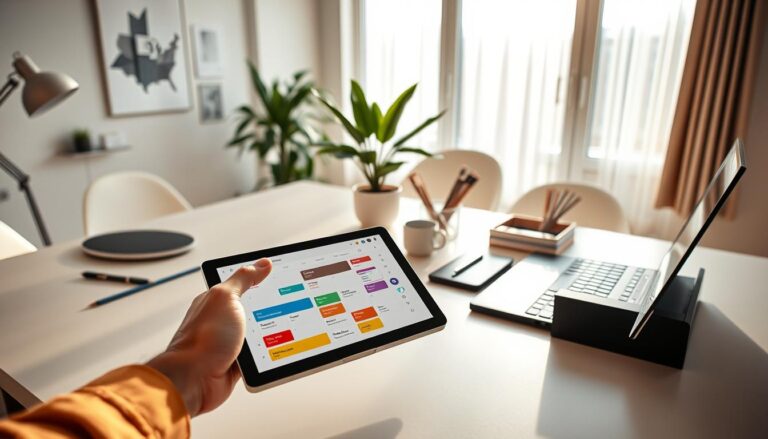
Try combining a task app with calendar integrations to plan your tasks better. Use colors and smart reminders to help. Adding widgets or shortcuts on your phone makes adding tasks super fast. These tips make managing tasks easier, especially when you’re out and about.
Communication Made Easy with Intelligent Features
Smart apps help your team connect better by cutting down on email clutter. They combine instant messaging, video calls, and other features to make conversations clear and to the point. Pick the best app features to save time and keep things organized.
Instant Messaging: Reduce Email Clutter
Apps like Slack, Microsoft Teams, WhatsApp, and Signal make it easy to make quick decisions without emails. They have topic channels and threads to keep talks neat. Plus, you can search past messages to find files or instructions easily.
Features like message pins, status updates, and read receipts help keep track of what’s happening. Linking chats with your tasks and calendar turns messages into actions and plans. Bots and commands like /vacation or /status simplify common tasks and save time.
Video Calls: Connect Face-to-Face Effortlessly
Using Zoom, Google Meet, or Microsoft Teams for video calls means less traveling and more quality time. Joining a call or setting one up is super easy. Sharing your screen and using break-out rooms make working together better.
Features like live captions, meeting transcripts, and cloud recordings help capture every detail. Adjusting for internet speed and blurring the background makes calls go smoothly, no matter where you are.
Here are some tips: keep ongoing project channels, set rules to lessen distractions, and use messages for fast replies. Save video calls for detailed or important chats that need to see each other. Focusing on the best features of these apps leads to quicker decisions, fewer emails, and better teamwork.
Personalized Experiences Tailored Just for You
You want an app that understands and grows with your daily life. Apps like Spotify, Google Discover, and Amazon learn from you. They show content and shortcuts that fit what you do every day. This makes using them quicker and more suited to you.
AI Recommendations: Get Suggestions that Fit Your Needs
AI helps suggest content, productivity tips, and actions based on your situation. Take music apps, for example. They recommend playlists you might like, based on songs you’ve listened to. News apps bring up articles that catch your interest. For work, tools suggest replies, find documents, and pick meeting times that suit your schedule.
With these systems, you can like or dislike to make suggestions better. Privacy settings allow you to share less, or erase your history for a fresh start. Adjusting these ensures recommendations stay helpful and respect your choices.
Customizable Interfaces: Make Your App Work for You
Customizable interfaces let you change themes, arrange dashboards, and place widgets. With platforms like Notion, Trello, and Gmail, you can keep custom layouts, rearrange panels, and set up shortcuts. This changes simple layouts into ones that truly help with your work.
Saving settings for work and personal use makes things smoother. You can switch from tight toolbars for intense work to broader views for planning. These app features make you more efficient and reduce clutter.
Some advice: always check your recommendation settings, guide the AI when you can, and make presets for different activities. This will make apps more useful, cut down on not-needed alerts, and provide you with features that make everyday tasks faster.
Enhancing Productivity with Time-Saving Tools
Smart apps make your day easier by reducing effort. The newest app features let you control them without using your hands, do things with just one tap, and have them work in the background automatically. Choose some app features that you really need and figure out how to use them every day.
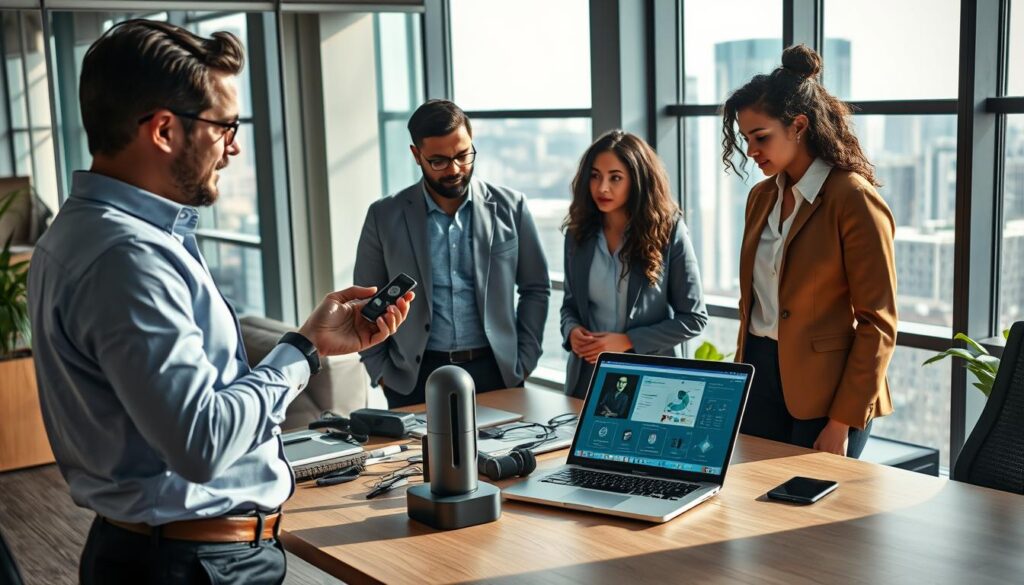
Voice commands have improved greatly because of Siri, Google Assistant, and Amazon Alexa. You can remind yourself of things, send texts, set timers, or start apps without typing. Voice-to-text and punctuation get better, making talking to your devices more accurate. You can control what info your assistants share, and create shortcuts for a series of tasks—like getting your day’s weather, schedule, and travel time by just saying “Good morning.”
Quick access widgets put what you use most right on your home or lock screen, saving you taps. With them, setting timers, taking notes, finding your way, and checking health or money stats is quicker. iOS and Android have their own widget systems, but both aim to make using your phone more direct and straightforward.
Automation options allow your apps to do tasks for you by linking services together and automating repetitive steps. Whether you’re using Shortcuts on iOS, Android Routines, Zapier, or IFTTT, you can automatically save files to the cloud, update contacts, or send out daily summaries. These smart automations save you from doing the same things over and over, giving you more time for important tasks.
Begin with easy automations to gain confidence. Use templates from the community to set up quickly, and watch the automation logs to avoid mistakes. Keeping things simple and orderly helps your systems work better.
When you use voice commands, quick access widgets, and automation together, you save time by cutting down on repetitive tasks, get to things faster, and don’t have to do as much manually. Start with a few essential app features, and add more as you get to trust your automated systems and routines.
Maximizing Your Efficiency with Smart Notifications
Smart notifications help apps work better for you. They give you useful hints at the perfect time. This means fewer distractions and faster completion of daily tasks.
Relevant Alerts: Stay Updated Without Getting Distracted
Focus on filtering notifications and setting up priority rules to cut down on unnecessary alerts. iOS Focus modes and Android Do Not Disturb schedules allow only important notifications through. Gmail and other email clients have priority inboxes to highlight urgent messages.
Contextual triggers help reduce interruptions further. You can set reminders based on your location or schedule them for specific work hours. AI-driven summaries condense less important updates into a short digest, which means you get fewer individual alerts.
Actionable Notifications: Respond Immediately from Your Notifications
Actionable notifications enable immediate responses without needing to open an app. You can do things like archive an email or snooze a reminder directly. This is available in apps like Gmail, Slack, and Asana. It helps save time and reduces the need to switch between apps.
Deep links direct you to the specific screen where action is needed with one tap. It’s important to test these actions to ensure they fit into your workflow well. Setting up categories for each app and scheduling quiet hours can help manage interruptions more effectively.
The advantages include better focus, quicker responses, and completing tasks with fewer taps. Adjusting notification settings and interactive options to suit your needs can enhance productivity.
| Feature | How It Helps | Where to Find It |
|---|---|---|
| Priority Filtering | Shows only high-value messages to reduce noise | Gmail priority inbox, Outlook focused inbox |
| Focus Modes / Quiet Hours | Blocks nonessential alerts during work or rest | iOS Focus, Android Do Not Disturb |
| Contextual Triggers | Fires alerts based on location or time | Reminders app, Google Calendar rules |
| Interactive Actions | Let you reply, approve, or snooze without opening apps | Gmail, Slack, Asana |
| Deep Links | Opens the exact screen needed for follow-up | Most project management and messaging apps |
| Notification Summaries | Batches low-priority updates into timed digests | iOS Notification Summary, Android bundled notifications |
Boosting Wellness with Integrated Health Features
Smart apps now mix everyday tools with health tracking. This helps you feel and do better. These features combine fitness data, mindful breaks, and planning in one spot. You can guard your energy and keep moving toward your goals.
Fitness Tracking: Monitor Your Progress Anytime
Tools like Apple Health and Google Fit log your steps and sleep easily. They automatically record your activities. This keeps your health dashboard up-to-date.
With these apps, you can set goals, see your progress, and fit workouts into your busy schedule. You can also control your privacy. This means you pick what to share and with who.
Mindfulness Reminders: Take Breaks for Better Focus
Apps like Headspace send reminders for breathing exercises or stretches. After long meetings or during stress, they suggest breaks. This helps you stay calm and focused.
They send gentle nudges, fitting into your day without disturbing you. By syncing reminders across apps, you keep a steady mind. Regular breaks and a consistent routine reduce stress.
Tips: Combine tracking your fitness with your schedule to make time for exercise. Link your health goals across apps. Pick reminders that fit into your work. Taking short breaks and tracking your progress can help you stay motivated.
| Feature | What It Tracks | How It Helps | Where to Find It |
|---|---|---|---|
| Step and Activity Logging | Steps, distance, auto-detected activities | Accurate daily movement totals, fewer manual entries | Apple Health, Google Fit, Fitbit |
| Heart Rate & Sleep | Resting HR, workout peaks, sleep stages | Stress cues, recovery insights, tailored rest | Fitbit, Apple Health, Garmin |
| Workout Goals & Dashboards | Weekly targets, progress charts | Clear motivation, visible improvement | Strava, Fitbit, mobile app features |
| Mindful Breaks | Breathing sessions, stretch prompts | Reduced fatigue, improved focus | Headspace, Calm, built-in health apps |
| Calendar Sync | Planned workouts and reminders | Protected exercise time, better routine | Google Calendar, Apple Calendar integrations |
| Privacy Controls & Export | Data sharing preferences, CSV export | Ownership of health data, cross-app analysis | Apple Health, Google Fit, many apps in app feature list |
Fueling Creativity with Innovative Editing Tools
Mobile and desktop tools like Adobe Lightroom, Snapseed, Canva, and CapCut make content creation faster. They offer one-tap enhancements, AI-powered auto-crop, background removal, and prebuilt templates. This reduces the time spent on editing.
Export presets and cloud sync make your assets accessible on all devices. Batch editing and one-click sharing to Instagram, TikTok, or YouTube speed up the process. This way, creating high-quality posts becomes quicker and easier.
Collaboration gets easier when teammates work together in real-time. Tools like Google Docs, Figma, and Adobe Creative Cloud libraries enable seamless co-editing. This eliminates the need for emailing files back and forth.
Teamwork is smoother with real-time cursors, permission controls, and version history. You can leave comments, go back to older versions, and control file access. These features speed up feedback and reduce the need for re-edits.
To streamline your workflow, start with templates and presets. Establish clear version-control rules and naming conventions. Enable offline edits for auto-sync when back online. These steps keep projects organized and efficient.
New app features, especially those using AI, are always developing. They offer suggestions for edits, color palette matching, and automatic story cuts. These innovations aim to streamline the feedback process and enhance the quality of your work while saving time.
Secure Your Data with Advanced Security Features
Apps are great when they help with tasks safely and quickly. They have strong security and useful features. These make your daily tasks both faster and safer. And they protect your data without getting in your way.
Biometric systems like fingerprint and facial recognition make logging in quick and secure. On iOS, Apple Face ID and Touch ID work with many apps. Android devices use BiometricPrompt. These ensure banking apps, password managers, and productivity tools are easy and safe to access.
If there’s a problem with biometrics, PINs or passcodes are used. This keeps you moving and cuts down on typing passwords. Using biometric login can make things quicker and less risky.
Encryption protects your data at all times. Messaging apps use end-to-end encryption to stop others from seeing messages. TLS keeps data safe while it moves, and encryption protects your cloud-stored files too.
Secure key storage and zero-knowledge models make privacy better. With zero-knowledge, services store your data encrypted so they can’t read it. Adding two-factor authentication and YubiKeys makes everything even more secure.
To stay safe easily, turn on biometric login in apps. Use two-factor authentication for key accounts and keep your apps updated. Choose services with solid security and regular checks for more trust.
The benefits are clear: less risk of unwanted access, quick and secure login, and confidence in using helpful app features. This means you can depend on apps for your daily tasks, knowing your data is safe.
| Security Layer | What It Protects | How It Helps You |
|---|---|---|
| Biometric Authentication | Local device access and app login | Faster access, fewer passwords, strong device-bound security |
| Encryption Protocols | Data in transit and at rest | Prevents interception and unauthorized reading of data |
| Zero-Knowledge Models | Stored user content and credentials | Service provider cannot access your unencrypted data |
| Two-Factor Authentication | Account sign-in | Blocks access even if passwords leak |
| Hardware Security Keys | High-value account access | Phishing-resistant, very strong second factor |
The Future of Apps: What to Expect
The next wave of apps will make your phone and tablet feel like helpful partners. Technologies like AI and augmented reality will bring real-time translation and smart suggestions. Companies like OpenAI and Google are working on these advances, focusing on privacy too.
Emerging Technologies: Integration of AI and Machine Learning
AI and machine learning are moving to on-device setups to keep your data safe and make things quicker. This change will make apps more proactive and your tasks easier. The aim is to include responsible AI practices in the apps you use.
User-Centric Design: Trends Shaping the Next Generation of Apps
Future app designs will be all about being easy to use, fitting your needs, and working well in any situation. They’ll follow the best design principles for everyone’s benefit. Also, apps will work seamlessly between the web and your device, even offline.
When looking at new apps, look for ones that protect your data and work offline smoothly. Pick apps that truly make your life easier, not just trendy ones. These updates mean quicker tasks, more natural interactions, and apps that look out for your time and privacy.