
Today, nearly 60% of U.S. homes have at least one smart device. This change is reshaping the way we handle daily tasks and improve our home’s comfort.
Connected home tech and IoT gadgets are making life simpler for many. They help manage routines, enhance comfort, and cut down costs for people all over the U.S. This article will share examples of how automating your home can save time, boost safety, and tailor your space to your needs.
We are going to look at smart lights, thermostats, security systems, voice helpers, kitchen aids, health monitors, entertainment setups, energy tools, and what’s next. You’ll get steps to figure out what you need, pick the right gadgets, and connect them easily to your home network.
By the time you finish reading, you’ll know which smart gadgets suit your life. And you’ll learn how to begin creating a connected home that really simplifies your life.
Introduction to Smart Home Devices
You are entering a new era where items around you help more. Smart home devices control lights, locks, thermostats, cameras, and appliances from afar. This guide shows how these gadgets work, and why people make their homes smart.
What Are Smart Home Devices?
Smart home devices connect to the internet or a local network. You can control or automate them from anywhere. For instance, there are smart bulbs, thermostats, locks, speakers, cameras, and plugs from brands like Philips, Nest, August, Amazon, Arlo, and TP-Link.
The key technologies behind these products include Wi‑Fi, Bluetooth, Zigbee, and Z‑Wave. Devices like your smartphone or a Samsung SmartThings hub can make your gadgets work together smoothly.
Benefits of Using Smart Home Technology
Your daily life gets easier with smart tech. Set up a morning routine that warms the house, turns on lights, and brews your coffee before you wake.
You’ll save on energy bills with smart devices. Smart thermostats and lighting save power by using it only when needed.
Smart devices also make your home safer. They provide video checks and alerts on your phone. This includes smart cameras and alarm systems.
Older people and those with disabilities can do more by themselves. This is thanks to voice control with Amazon Alexa or Google Assistant making everyday tasks simpler.
You get insights on usage from smart devices. Energy reports help you adjust settings to save money and stay comfortable.
Prioritize security and privacy when buying smart gadgets. Always use strong passwords, enable two-factor authorization, and keep devices updated. Ensure new purchases work with your current setup and think about costs versus benefits.
| Category | Representative Products | Key Connectivity | Main Benefit |
|---|---|---|---|
| Lighting | Philips Hue | Zigbee, Wi‑Fi | Ambiance control and energy savings |
| Climate | Nest, Ecobee | Wi‑Fi, Thread | Adaptive comfort and lower bills |
| Security | Ring, Arlo, Schlage Encode | Wi‑Fi, Z‑Wave | Remote monitoring and alerts |
| Voice & Hubs | Amazon Echo, Google Nest, Apple HomeKit | Wi‑Fi, Bluetooth, Hub protocols | Central control and voice access |
| Plugs & Sensors | TP‑Link Kasa, various motion sensors | Wi‑Fi, Zigbee | Automation triggers and remote control |
Smart Lighting Solutions
Transform your rooms with smart lighting for convenience and control. Use smart bulbs, switches, dimmers, and sensors to set light levels and colors. Products from Philips Hue, LIFX, and Sengled work with HomeKit, Alexa, and Google Home for easy automation.
Smart Bulbs vs. Traditional Bulbs
With smart bulbs, you can control colors and set scenes with your phone. They allow scheduling and adjusting light warmth for morning or night. Traditional bulbs can’t match these features.
Smart bulbs are easy to install—just screw them in and connect to an app. For multiple lights or non-smart bulbs, smart switches are useful. Remember, smart bulbs need constant power; a turned-off wall switch disrupts them unless paired with a smart switch.
When setting up smart home tech, check device compatibility. Some need a hub like Philips Bridge, but many work with Alexa, Google Home, or HomeKit. Plan your smart device purchases to fit together well.
Energy Efficiency and Cost Savings
Smart bulbs use LEDs, which are more energy-efficient than other types. LEDs last up to 25,000 hours, saving on replacements and costs. Switching to LEDs increases energy efficiency immediately.
Using motion sensors, geofencing, and timers can cut down on unnecessary light use. Lights can turn off automatically in unoccupied rooms or when you leave home. This saves energy.
Although smart lighting costs more upfront, it saves money in the long run through lower energy bills. LEDs use 50%–80% less energy than incandescent bulbs, offering significant savings. Look out for local rebates on energy-efficient lighting to reduce initial costs.
Smart Thermostats for Comfort
Smart thermostats make heating and cooling precise and easy. They help you control comfort and save energy. These devices learn your schedule, work with major HVAC systems, and easily fit into home automation systems.
Features to Look For
Look for thermostats that learn and adapt to your routine. Google Nest is known for learning your habits and adjusting temperatures automatically.
You can control them remotely and they adjust as you come and go. This saves energy and makes your home comfy when you arrive.
Room sensors and zoned control help manage uneven temperatures. Ecobee’s sensors adjust temperature based on where people are.
Check if they work with Apple HomeKit, Amazon Alexa, and Google Assistant for a smooth experience. Make sure they fit your heating and cooling system before buying.
They also send energy use reports and maintenance reminders. This helps you see where you can save more energy.
Consider how easy they are to install. Many need a C-wire. You can check if yours is compatible or get it professionally installed.
Popular Smart Thermostat Brands
Google Nest is popular for its design and self-learning feature. It works well with Nest and Google products.
Ecobee is great for controlling temperature in different rooms. It’s also good for Apple users.
Honeywell Home is good for both old and new HVAC systems. It’s a brand many trust.
Emerson Sensi is an affordable option with reliable app control. It offers many features without being expensive.
Smart thermostats can save about 10–12% on heating and 15% on cooling costs. Some utilities offer rebates for installing a smart thermostat, which can help save money.
Home Security Innovations
Smart security goes beyond just alarms now. You can put together cameras, locks, sensors, and monitors for a tailored defense. These devices let you know what’s happening in real time and respond quickly if something goes wrong.
Types of Smart Security Devices
Smart cameras from brands like Arlo, Ring, and Google Nest provide live streams, detect motion, and save footage online. Video doorbells such as Ring, Nest Doorbell, and Eufy offer two-way talk, package alerts, and send notifications to your phone.
Smart locks, including August Smart Lock, Schlage Encode, and Yale Assure, allow remote locking, temporary codes, and automatic locking. Sensors for doors and windows, along with motion detectors that use Zigbee or Z-Wave, trigger actions and alert you to break-ins.
Alarm panels and systems with 24/7 monitoring by SimpliSafe and ADT bring everything together for full home protection. Environmental sensors like Google Nest Protect detect smoke and CO, and devices from Flo by Moen and Honeywell Lyric alert you to water leaks.
Enhancing Your Home’s Safety
Start with layers. Combine cameras, sensors, locks, and lights so each supports the other. This approach reduces gaps in security and ensures you get alerts from multiple sources.
Get real-time alerts with video clips to see what’s happening instantly. This way, you can check on alerts, decide what to do, and share videos when necessary. Choose systems that offer either local or cloud storage options.
Think about privacy with smart home tech. Check how companies handle your data and their privacy terms before picking cloud storage. Choose devices that offer local storage options or cloud plans.
Use automation to scare off burglars. Timed lights, automatic blinds, and alarms can make it seem like someone is always home. This automation can stop a break-in in its tracks.
Choosing between monitoring yourself or having a professional do it depends on your daily life. Professional monitoring can get help faster, while doing it yourself saves money but still offers control.
Place devices thoughtfully. Position cameras strategically, ensure good Wi-Fi signal, maintain batteries, and use secure mounts. Correct installation keeps your system working well every day.
Voice-Controlled Assistants
Voice-controlled devices are at the heart of modern smart homes. They manage smart devices without needing an app. They can provide weather updates, start timers, or trigger scenes, even if you’re busy.
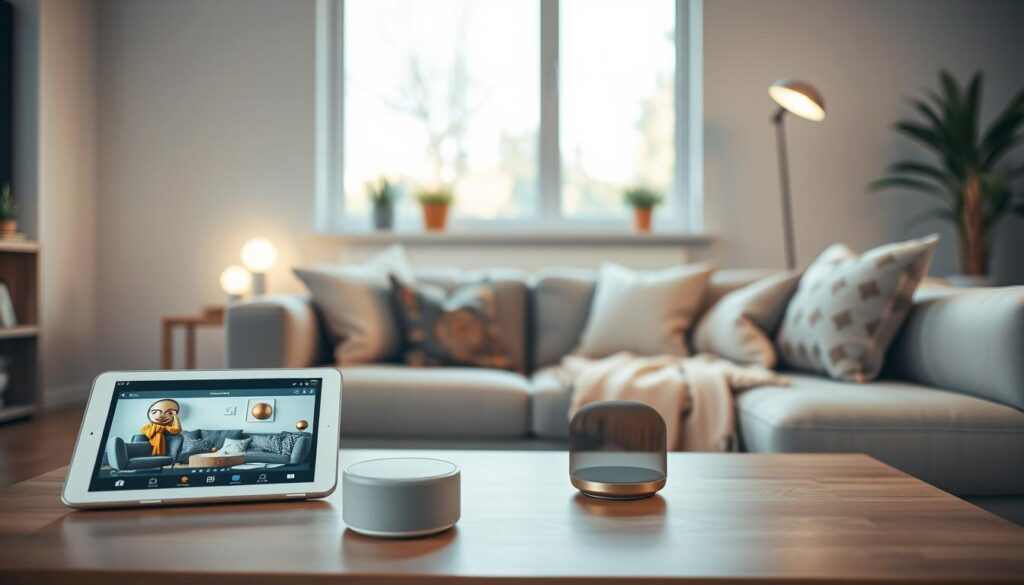
Pick a voice assistant that suits your daily life and privacy preferences. Amazon Alexa, Google Assistant, and Apple Siri offer unique benefits for controlling your home. They let you set up routines to do multiple things with one command, making your day easier.
Popular Voice Assistants Available
Amazon Alexa is found in Echo devices like the Echo Dot and Echo Show. It has a huge range of skills and supports numerous smart home gadgets. Its wide compatibility easily lets you add lights, locks, and thermostats to your setup.
Google Assistant is the brain behind Nest speakers and displays. It’s great at understanding context, offering natural responses and useful follow-up information. This is perfect for those heavily invested in Google’s ecosystem.
Apple Siri is integrated into the HomePod and HomePod mini via HomeKit. It prioritizes privacy and seamlessly works with HomeKit-certified devices. It’s ideal for iPhone and iPad users, providing a secure and cohesive experience.
Microsoft’s Cortana has become less visible to consumers, while Samsung’s Bixby is in select appliances. Samsung SmartThings is still key for connecting different device ecosystems.
How They Integrate with Other Devices
Devices connect through Alexa Skills, Google Actions, or HomeKit codes. This connection enables voice commands, status updates, and specific device settings. You might activate an Alexa skill or scan a HomeKit code to set up a new smart light.
Create routines and scenes to control multiple devices simultaneously. A “goodnight” routine could turn off lights, lock doors, and adjust your thermostat. These routines streamline your routine and simplify your life.
Compatibility between platforms can differ. Some smart gadgets work best with specific ecosystems. Use IFTTT or SmartThings for better integration between different platforms.
To keep your privacy intact, control voice recording settings and mute microphones as needed. Most platforms allow voice recognition for different users, personalizing each interaction.
Voice assistants greatly aid accessibility. They help people with physical or visual impairments by allowing voice-only control. They can read out texts, remind of appointments, and schedule events simply through voice commands.
| Assistant | Typical Devices | Strength | Best Use Case |
|---|---|---|---|
| Amazon Alexa | Echo Dot, Echo Show, many third-party smart plugs and bulbs | Wide device compatibility and large skills library | Homes with mixed-brand smart home devices |
| Google Assistant | Google Nest speakers and displays, Chromecast | Strong search, contextual replies, natural language | Users who want helpful, conversational answers |
| Apple Siri (HomeKit) | HomePod, HomePod mini, HomeKit-certified locks and lights | Privacy-focused integration with iOS devices | Apple-centric households that value security |
| Samsung / SmartThings | SmartThings hub, select Samsung appliances | Bridging multiple ecosystems, appliance integration | Users who want to connect varied brands under one hub |
Smart Appliances in the Kitchen
Your kitchen can get smarter with the right appliances. These tools shorten your prep time, lessen waste, and help keep your energy costs low. You can manage many of them using an app or voice commands with popular devices.
Must-Have Kitchen Devices
Think about getting a smart fridge like the Samsung Family Hub or LG InstaView. They keep track of what you have, recommend recipes, and sync grocery lists to your phone. Smart ovens from Whirlpool, GE Profile, and Samsung allow you to heat them up from afar, give guided cooking tips, and ensure your food is perfectly cooked with probes.
Choose a smart dishwasher that saves water and energy with special cycles and app control. For coffee lovers, pick a linked coffee maker like the Keurig K-Supreme or a Behmor brewer. They let you schedule brews or start them with your voice.
Consider getting an Instant Pot Smart WiFi for versatile cooking options that you can control remotely. Smart plugs can make regular kettles or toasters smart, letting you set schedules and watch energy use.
How They Save Time and Energy
Managing from afar with notifications lets you know when food is ready or to start warming up. This reduces waiting and saves energy. Smart fridges that monitor what you have aid in planning meals and reducing food waste.
Dishwashers with eco cycles and scheduling save on water and energy. Pairing with meal apps and voice commands makes cooking easier.
Alerts for maintenance and checks prevent bigger issues, saving energy. Choosing smart devices carefully makes your kitchen both handy and efficient.
Health and Fitness Trackers
Today’s health and fitness trackers blend into your smart home seamlessly. You’ll find gadgets like wristbands and bedroom sensors. They monitor your activity, sleep, air, and water intake. This information lets you improve your daily habits and home environment.
Look into wearables from Apple Watch, Fitbit, and Garmin. They track your heart rate, steps, workouts, and sleep patterns. Smart scales from Withings and Eufy measure your weight and body composition. Then, they sync this data to apps, helping you see your progress. Systems like Eight Sleep and Sleep Number adjust your bed’s temperature based on your sleep data. This helps you sleep better.
Smart Devices for Your Wellness
Air quality devices from Awair, IQAir, and Foobot keep you informed. They report on harmful compounds and when to use your purifier. Also, smart water bottles remind you to stay hydrated. These gadgets make wellness easy by suggesting small, doable actions.
Some wearables can tell emergency contacts if you fall. Bedroom sensors can adjust your room’s lighting or temperature for better sleep. These smart gadgets make tiny tweaks that greatly enhance your comfort.
Integrating Health Tracking into Daily Life
Connect your health data with apps like Apple Health or Google Fit. This gives you a complete view of your health. By seeing everything in one place, you can set goals and see how you’re doing. Automate your gadgets to adjust your bedroom for better sleep.
When hooking up your devices, think about your privacy. Check what data is collected and shared. If you’re including medical data, make sure the services are HIPAA compliant. This means they protect your health information.
Set up alerts for things like air quality or to move more. By adding health and fitness trackers to your smart home, you create a personal wellness system. It helps you live a safer, healthier life every day.
Smart Entertainment Systems
You want a home theater that feels effortless and smart. Smart entertainment systems bring streaming devices, speakers, and TVs together. You can watch, listen, and control everything with a tap or a voice command.
Choose a media streamer that matches your habits. Roku, Amazon Fire TV, Apple TV, and Chromecast all offer 4K/HDR support. They also have large app catalogs. Smart TVs from Samsung, LG, and Sony add built-in platforms. They also have voice integration so you can skip an extra box.
Streaming Devices Overview
Gaming consoles like PlayStation and Xbox double as media hubs. They have apps for Netflix and Disney+. Casting technologies such as Chromecast and AirPlay make it simple to send video from your phone to the big screen.
When shopping, compare app ecosystems, remote features, and device compatibility with your voice assistant. These choices shape how streaming devices fit into your connected home technology.
Multi-Room Audio Solutions
For whole-home sound, look at Sonos, Amazon Echo multi-room groups, Google Nest speakers, and Apple AirPlay 2. These systems let you play the same song across rooms with low latency.
Soundbars like the Sonos Arc and AV receivers with Yamaha MusicCast add better audio in the living room. They can connect to voice assistants. Spotify Connect, Apple Music, Amazon Music, and Tidal work with most setups.
Keep network bandwidth in mind for reliable multi-room audio. Consider wired connections where you can. Place speakers for balanced sound. Use speaker groups and routines for a smart movie mode that dims lights and plays your playlist when you arrive.
| Device Type | Popular Brands | Key Strengths | Best For |
|---|---|---|---|
| Media Streamers | Roku, Amazon Fire TV, Apple TV, Chromecast | Large app libraries, 4K/HDR, easy setup | Streaming movies and shows |
| Smart TVs | Samsung, LG, Sony | Built-in platforms, voice assistants | Minimalist setups without extra boxes |
| Gaming Consoles | PlayStation, Xbox | Apps, Blu-ray support, gaming + streaming | Homes that game and stream |
| Multi-Room Speakers | Sonos, Amazon Echo, Google Nest, Apple AirPlay 2 | Zone control, synchronized playback | Whole-home audio |
| Soundbars / AV Receivers | Sonos Arc, Yamaha MusicCast | Enhanced TV sound, voice assistant integration | Living-room home theater |
Smart Home Energy Management
Getting the right gadgets can turn wasted energy into savings. With smart home devices today, you can monitor energy, lower costs, and stay comfortable. Begin with a few devices, observe your energy habits, and then expand your setup as your needs change.
Devices that track electricity show you exact numbers. Whole-home monitors like Sense and Emporia Vue display your consumption in real-time. They help you see which appliances use the most electricity. Smart plugs from TP-Link Kasa and Wemo track electricity use for each device. They let you set times to turn off devices and avoid wasted energy.
Smart thermostats and HVAC monitors adjust to your schedule. Brands like Nest and Ecobee lessen waste but keep your space comfy. Solar inverters and batteries from Tesla Powerwall, Enphase, and SolarEdge provide insights into how much energy you produce versus use. This is helpful when you combine them with monitoring tools.
Devices That Monitor Electricity Usage
Choose tools that fit your lifestyle. Whole-home energy monitors offer insights into overall trends and specific device usage.
Plug-level monitors are great for quickly finding devices that use too much energy. They’re useful for old fridges, heaters, and entertainment systems. You’ll see where you can really save. Smart meters and utility APIs can give you historical data and special rate information for more detailed analyses.
Tips for Utilizing Smart Energy Solutions
First, find devices that use lots of energy. Monitor them with plug-level devices to track their energy use. Then, set timers or think about upgrading old, inefficient devices.
Try to run high-energy tasks during times when electricity is cheaper. Moving laundry and dishwashing to these hours can save you money each month. Use automatic systems to turn off non-critical devices during peak times or when batteries are low.
Link your monitoring system with solar panels and batteries to increase your energy independence. Regular reports can help you make realistic goals. Also, check for rebates from your power company before making large purchases.
Make sure your system is secure. Devices that monitor your energy usage can also show when you’re home. Always keep your system’s software up to date. Use strong passwords and, if possible, two-factor authentication to protect your privacy.
| Device Type | Example Brands | Main Benefit | Best Use |
|---|---|---|---|
| Whole-home energy monitor | Sense, Emporia Vue | Real-time whole-house data and device breakdowns | Identify major consumption sources and track trends |
| Smart plug / outlet | TP-Link Kasa, Wemo | Per-device measurement and scheduling | Eliminate standby power and control small appliances |
| Smart thermostat / HVAC monitor | Nest, Ecobee | Optimized HVAC runtime and usage reporting | Maintain comfort while improving energy efficiency |
| Solar inverter & battery | Tesla Powerwall, Enphase, SolarEdge | Production vs. consumption analytics and storage | Maximize self-consumption and manage grid interaction |
| Utility integrations | Local smart meters, utility APIs | Historical usage and time-of-use rate data | Plan shifts to off-peak hours and verify savings |
The Future of Smart Home Technology
Smart home technology is becoming a part of daily life. Soon, smart devices will connect better, process data smarter, and link to energy grids and health services. This makes homes more adaptive, private, and efficient in using energy.
Trends to Watch in Smart Home Devices
Interoperability is growing as Matter and Thread become popular. This means companies like Apple, Google, and Amazon can work together more easily. Devices will process data locally, reducing delays and enhancing privacy for voice commands and routines.
Energy saving is becoming important. Home batteries, solar converters, and smart grid responses will integrate with home tech to cut costs and maintain power. Also, there will be more health devices and telehealth services to watch over chronic conditions at home.
How to Prepare for Tomorrow’s Innovations
Choose platforms with open standards and strong backing. Improve your home network with mesh Wi‑Fi like Eero or Netgear Orbi. Make sure your router is secure so it can safely manage more devices.
Update your devices and use guest networks for IoT gadgets. Start with simple smart devices like a thermostat, locks, or cameras. Grow your smart home as you find what works best for you. Look for discounts and trade-in offers to save on upgrades.
By focusing on compatibility, security, and energy efficiency, your home will be ready for the future. Enjoy more comfort, safety, and savings with minimal hassle.